See what your PC is doing
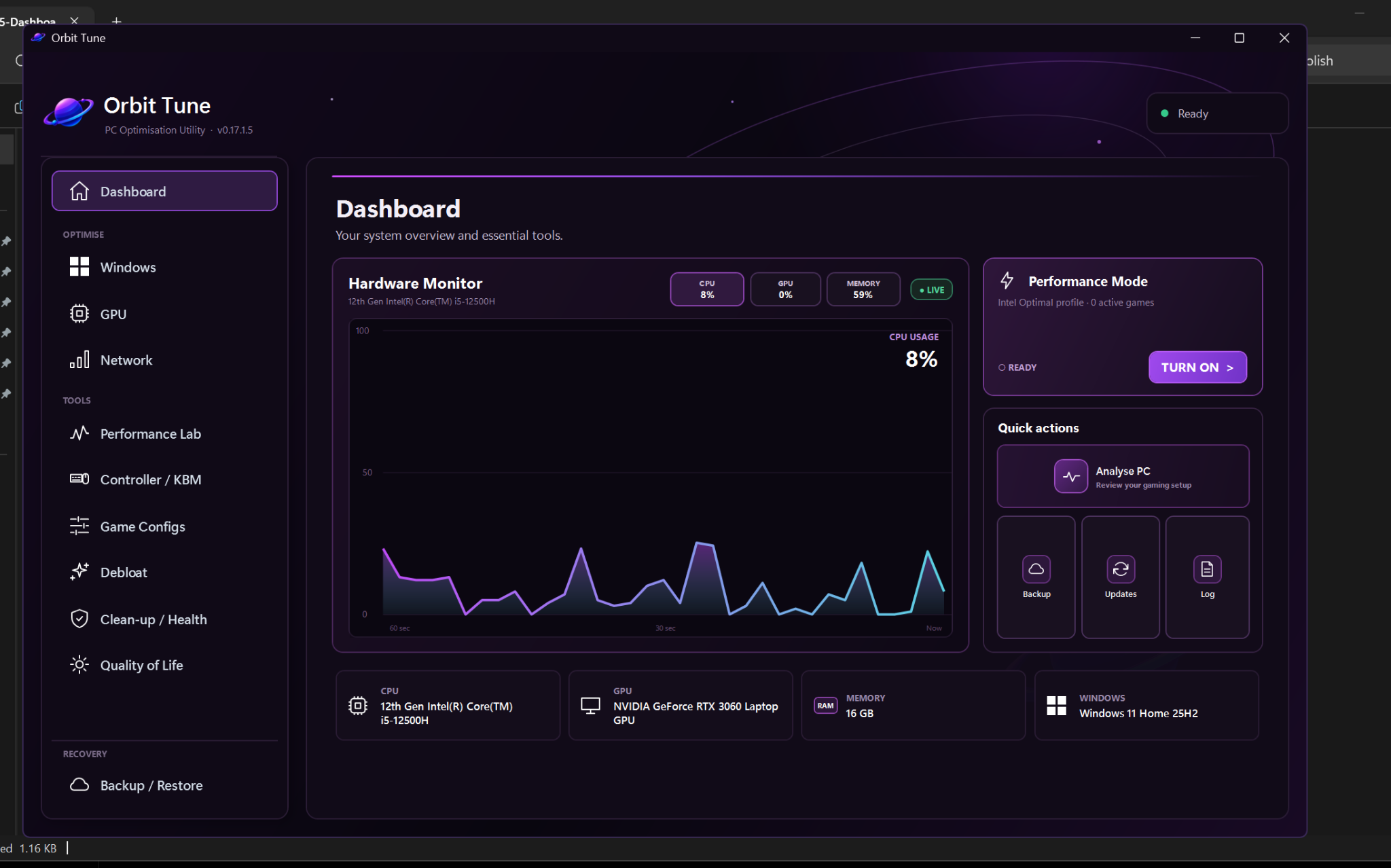
A live hardware monitor keeps CPU, GPU and memory use visible without turning the dashboard into a wall of numbers.
 Orbit TuneDownload free
A clean Windows optimisation utility that shows you what changes, why it matters and how to put it back.
Useful by design
Orbit Tune keeps every action understandable, measurable and reversible wherever Windows allows it.
A live hardware monitor keeps CPU, GPU and memory use visible without turning the dashboard into a wall of numbers.
Review clear, individual Windows and GPU options with honest warnings before anything is applied.
Measure download speed, idle and loaded ping, jitter, packet loss and bufferbloat with an easy A+–F grade.
Benchmark and diagnostic tools help you find real bottlenecks instead of blindly stacking registry tweaks.
Control first
Orbit Tune is designed around informed choices—not inflated claims, hidden scripts or a giant “apply everything” button.
Example readiness overview
Free download
Download the complete Orbit Tune installer for Windows 11. The AMD driver helper is already included—no ZIP extraction or build scripts required.